Top 15 Employee Survey Tools That Are Also Easy to Use

TL;DR
- Complicated survey tools kill participation and honest answers.
- These 15 options stay simple, clear, and respectful of people’s time.
- Match the tool to pulse checks, engagement depth, and how you will act on results.
- Ease of use for HR and employees matters more than feature bloat you will never touch.
- From specialist platforms to familiar general tools, you can find a fit for your stage and stack.
Collecting employee feedback shouldn’t be complicated. But too many survey tools turn it into a chore for HR and for employees.
When surveys are confusing or clunky, people stop sharing. That’s a problem, because real listening drives real results. Qualtrics found 58% of employees want their company to improve how it handles feedback.
You don’t need fancy features you’ll never use. You need something simple, clear, and effective, whether that is a full engagement suite or focused pulse surveys your team will actually finish.
This guide highlights 15 employee survey tools that make it easy. No mess or training manuals. Just smart ways to hear your people and act on what matters. If you want to see how listening ties into goals, feedback, and reviews in one stack, skim how Pulsewise works before you shortlist vendors.
Top 15 Easy to Use Employee Survey Tools
The best employee survey tools are simple, clear, and respectful of people’s time. They make it easy to ask the right questions, collect honest answers, and act on what matters. From pulse surveys to full engagement platforms, the right tool helps you hear your team without turning feedback into a chore.
Here’s a list of 15 employee survey tools that make life easier for you and for your team. Each one is designed to help you ask better questions, get honest answers, and act on what matters. Let’s take a closer look.
Pulsewise
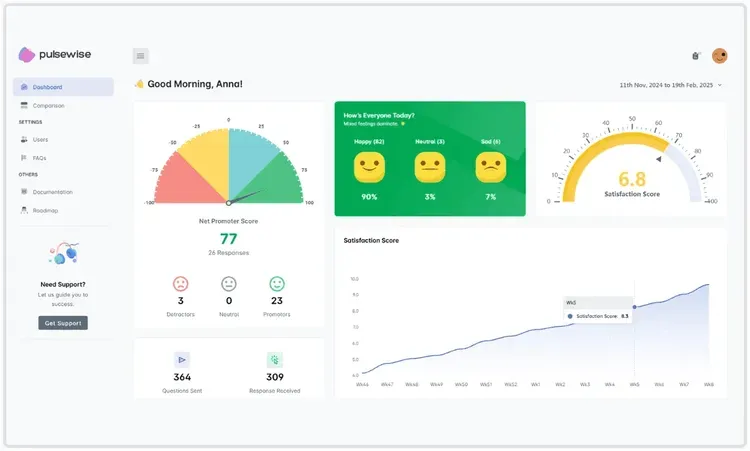
Pulsewise is like your team’s temperature check that doesn’t waste time. No bloated dashboards. No complicated setup. Just a clear way to ask how’s everyone doing? and get real answers.
You’re busy… your people are too. They won’t fill out surveys that feel like homework.
Pulsewise keeps it short. Honest. Anonymous, so nobody’s holding back.
Easy to try. Even easier to keep using. Designed so your team talks and you can finally listen.
It’s built with a real-world team in mind. No training sessions. No overkill.
You open it, you get it. Simple.
Features worth noticing:
- Anonymous pulse surveys… genuine feedback without second thoughts.
- Mood check-ins for a quick read on well-being.
- Real-time dashboards that make sense.
- Integrates right into Slack and Teams.
- Early burnout detection so you can act in time.
- Unlimited users. Free Forever plan if you’re testing the waters.
Culture Amp
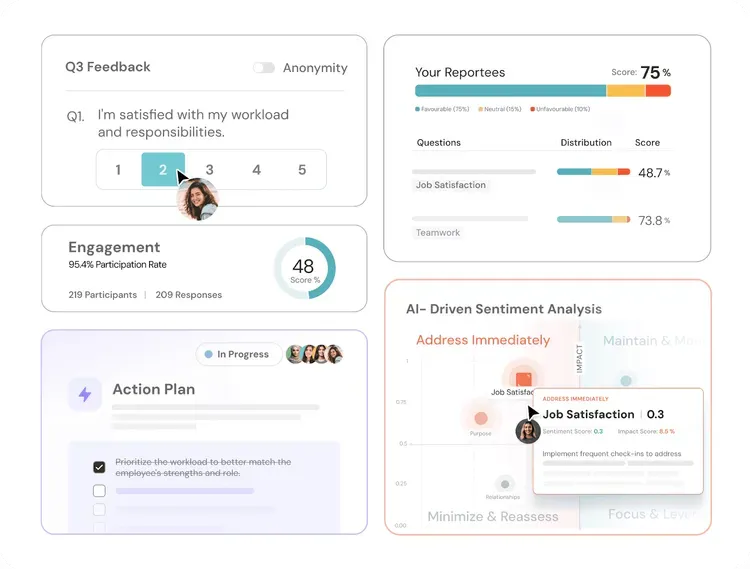
Culture Amp gives you a sharper lens on what’s happening inside your team. It’s built on behavioral science, but it doesn’t feel academic. The surveys are thoughtful. The insights are clear. You get feedback you can use… without wading through a mess.
Great if you care about culture and want real direction, not just data. This tool listens well. Then helps you respond better.
Why it works:
- Research backed templates that ask the right questions
- Easy-to-use interface with zero bloat
- Built-in action plans, right beside the feedback
- Industry benchmarks to keep you grounded
- Supports everything from onboarding to exits
Officevibe
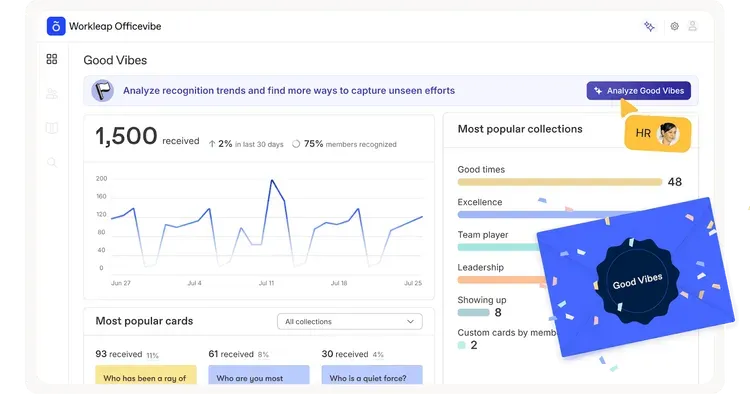
Officevibe is like checking in with your team without making it weird. It’s designed to keep feedback flowing regularly so you’re never blindsided by issues.
Nothing complicated… just a steady, honest look at how people feel.
It suits managers who want to talk with their teams, not at them. It’s less about big events and more about keeping the door open, always.
Why teams choose it:
- Simple pulse surveys that don’t waste time
- Anonymous feedback for real honesty
- Quick, clear reports that managers can read
- Space for open-ended responses… no canned answers
- Built-in tools for follow-up conversations
SurveyMonkey
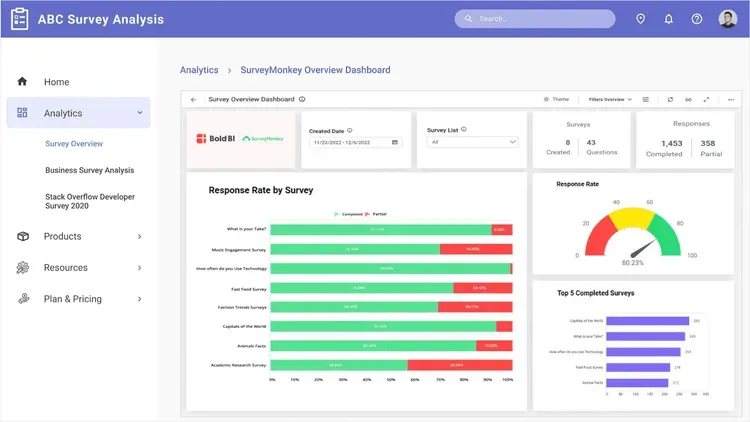
SurveyMonkey is the old reliable that still knows how to keep it simple. You’ve probably used it before… for a reason. It’s flexible without being messy. Works whether you’re sending a quick pulse survey or a deep dive engagement study.
Easy enough for anyone to build something decent in minutes. If you want dependable and familiar, it’s hard to go wrong here.
What people like:
- Drag-and-drop survey builder that’s intuitive
- Huge library of ready-to-use templates
- Clean, shareable reports with charts that make sense
- Logic and branching for smarter questions
- Easy distribution via email, links, or even social
Peakon (by Workday)
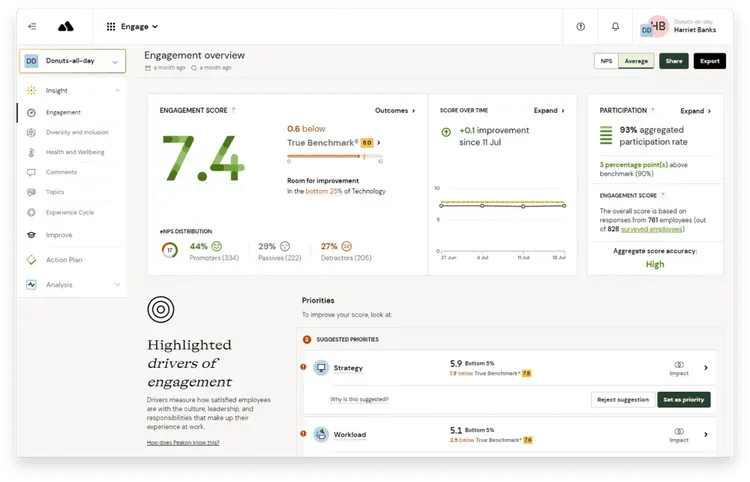
Peakon listens when most systems forget… always collecting feedback in the background. Nothing forced. Employees share in the moment.
You’re not sending massive surveys once a year and hoping for honesty. This is steady. Quietly detailed.
Managers don’t need to be data scientists. The platform points to trouble spots before they grow. You see themes. Frustrations. Wins, too.
Useful for big teams. But even smaller companies can see the value.
It’s there to help you stay ahead, not react too late.
Why it stands out:
- Always-on feedback, not just one-off surveys
- Real-time dashboards that flag issues as they build
- AI-powered insights to highlight what needs attention
- Smart segmentation… see patterns by role, location, team
- Part of Workday, so it fits right into your HR stack
Glint (part of Microsoft Viva)
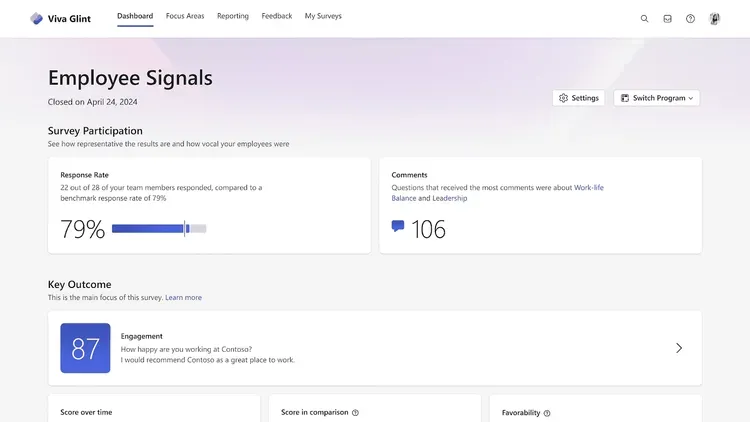
Glint feels like a system that pays attention. It’s built for companies that want to understand people, not just numbers on a chart.
You’re not dropping a survey once and forgetting it. This is about seeing what’s changing, week to week.
Leaders get the why, not just the what. Employees see it’s not lip service.
It’s polished, sure. But accessible. Tied right into Microsoft Viva, so it doesn’t sit in a silo. It’s for orgs that want to listen and prove they did.
What people notice:
- Regular pulse surveys that don’t overwhelm
- Analytics that dig into drivers of engagement
- Action planning tools to close the loop
- Integrates neatly with Microsoft 365
- Insights you can explain to your team
TinyPulse
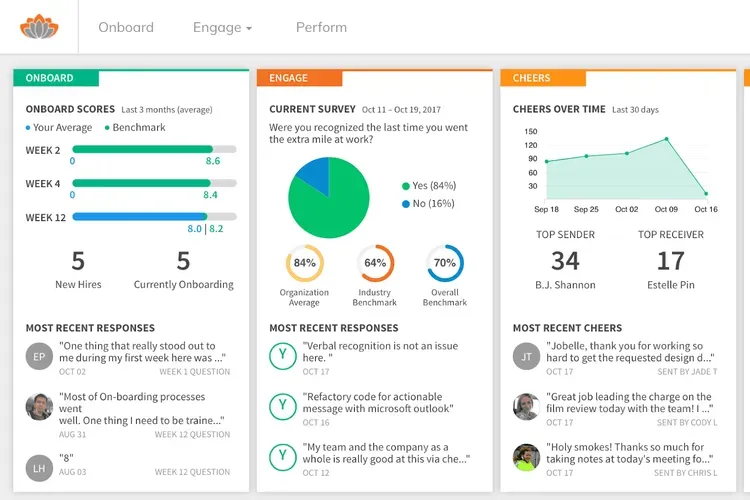
TinyPulse keeps it light, but meaningful. It’s not trying to be a full-blown HR suite. It just wants to help you ask better questions and hear the real answers.
You get short, weekly pulse checks. Nothing long… nothing draining. And that’s kind of the point.
It’s casual enough to blend into everyday work, but sharp enough to flag issues early. It’s light-touch, but it sticks. The kind of tool people don’t mind using.
Why teams lean toward it:
- Super short surveys… just one question at a time
- Anonymous responses keep honesty high
- “Cheers for Peers” feature boosts recognition and morale
- Simple dashboards with no learning curve
- Works great for fast growing, remote, or hybrid teams
Lattice
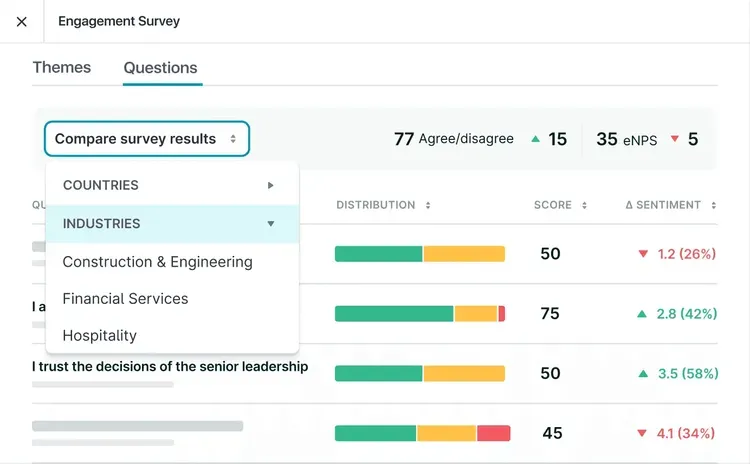
Lattice feels like it was built for teams that want feedback and growth to go hand in hand. It’s not only about surveys. It’s about making those responses matter.
Managers see what’s working, what’s breaking. Employees get the sense someone’s paying attention.
Feels structured but not stiff. Works well if you care about turning feedback into real development. It’s less “fire-and-forget,” more “let’s build on this.”
Things people like:
- Integrated engagement surveys, goals, and performance reviews
- Clean, intuitive design that doesn’t overwhelm
- Templates you can customize or use straight away
- Action plans tied directly to survey results
- Supports regular 1:1s and check-ins to keep progress moving
Qualtrics EmployeeXM
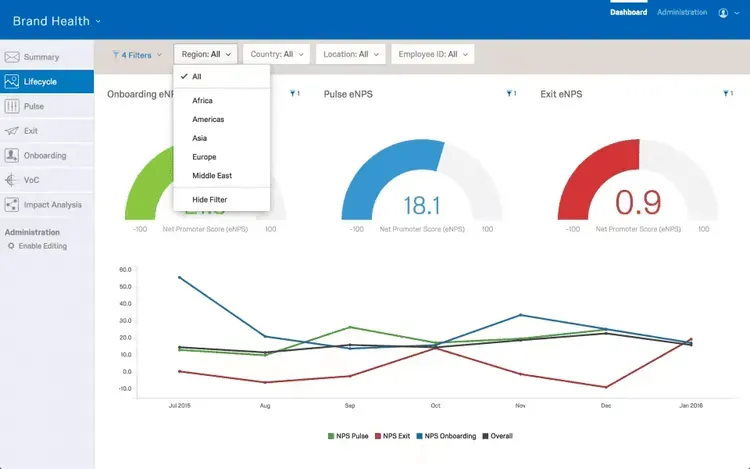
Qualtrics EmployeeXM is for teams that want to go deep. Not just surface level questions, but real insight into what drives engagement.
You can get as detailed as you want. Or keep it simple. It’s flexible like that.
HR folks like how it turns massive data into clear stories. Leaders appreciate knowing where to focus.
It can handle complex organizations without falling apart. But even smaller teams find value in its precision.
Key reasons people choose it:
- Advanced survey design with logic and branching
- Detailed analytics that highlight trends and patterns
- Benchmarking to see where you stand against others
- Action planning features to help you respond effectively
- Integrates well with other HR and analytics tools
Google Forms
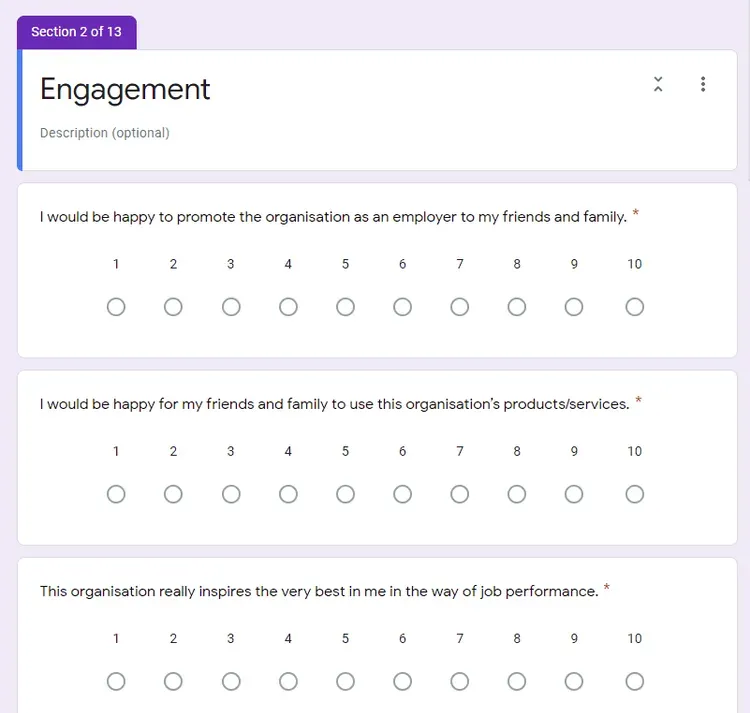
Sometimes you don’t need fancy. You just need something that works. Google Forms is the go-to for teams that want fast, simple, and free.
No learning curve. No bells and whistles. You can have a survey live in minutes. It’s not built just for employee feedback, but it does the job if you keep it clear and short.
Works best when you want to move quickly. No big promise. Just gets the question out and the answers back. Sometimes that’s all you need.
Why people stick with it:
- Ridiculously easy to set up and share
- Clean, minimal design that doesn’t confuse anyone
- Responses feed straight into Google Sheets
- Free to use with a Google account
- Customizable enough for basic branding or themes
15Five
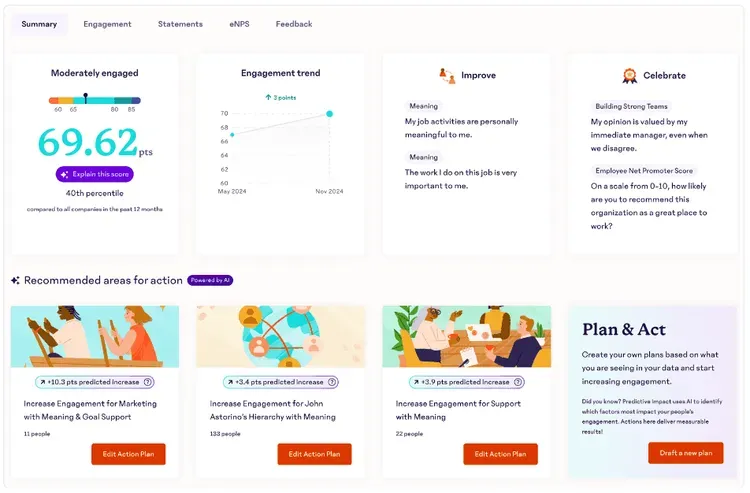
15Five feels like it’s built for companies that want feedback to lead somewhere. It’s not about checking a box. It’s about making sure people grow.
You’re not just collecting responses. You’re creating conversations. Managers get a clear picture. Employees feel seen.
Works well for teams that value regular check-ins over big, annual reviews.
Not overbuilt. But thoughtful. It’s for teams that want feedback to change things.
Why teams use it:
- Weekly check-ins that stay short but meaningful
- Built-in 1:1 and goal-tracking features
- Pulse surveys to keep a steady read on morale
- Customizable questions so it fits your vibe
- Easy reports that don’t need decoding
Zoho Survey
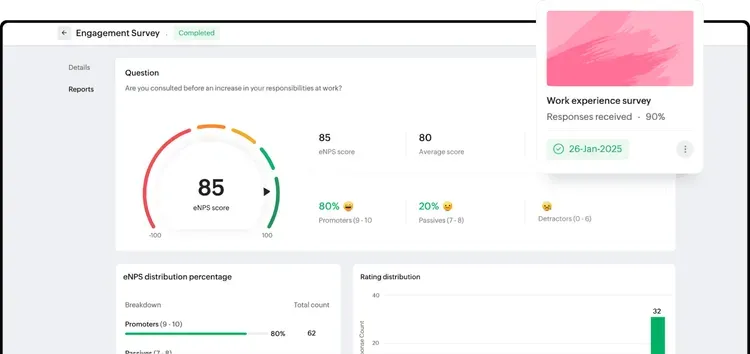
Zoho Survey is that dependable option you turn to when you want control without the hassle. It’s straightforward. Flexible. Gets out of your way while letting you customize pretty much everything.
You’re not paying for frills you don’t need. But you still get the tools to ask smart questions and make sense of the answers.
Works for small teams, but scales nicely too. Solid choice if you want surveys that fit your team, not the other way around.
What people appreciate:
- Easy drag-and-drop survey builder
- Plenty of question types and templates
- Logic branching to keep things relevant
- Real-time reporting that’s clear and shareable
- Integrates with other Zoho apps and third-party tools
Typeform
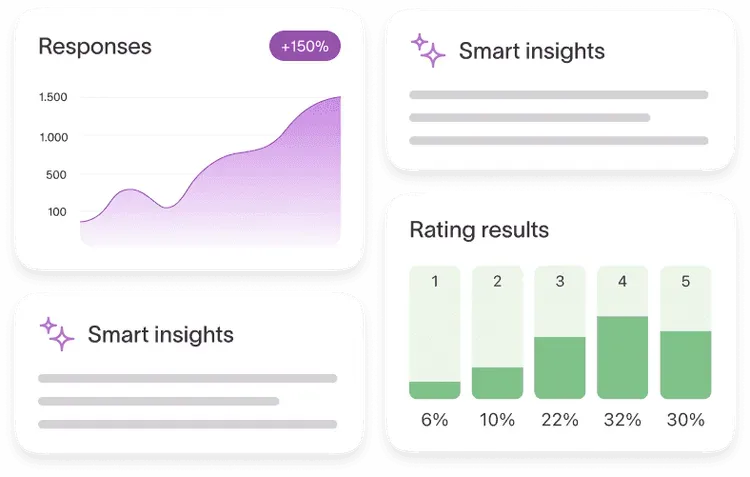
Typeform feels different from the start. It’s for teams that want surveys to feel good to fill out.
No blocky forms… no endless grids. Just smooth, conversational flow. People answer one question at a time, like they’re talking to you.
Looks polished. Feels personal. If you want people to want to answer, this one makes sense.
Why people like it:
- Beautiful, clean design that invites responses
- Conversational layout keeps things friendly
- Easy to customize with branding and logic
- Responsive on any device, mobile or desktop
- Integrates with loads of other apps for easy workflows
Energage
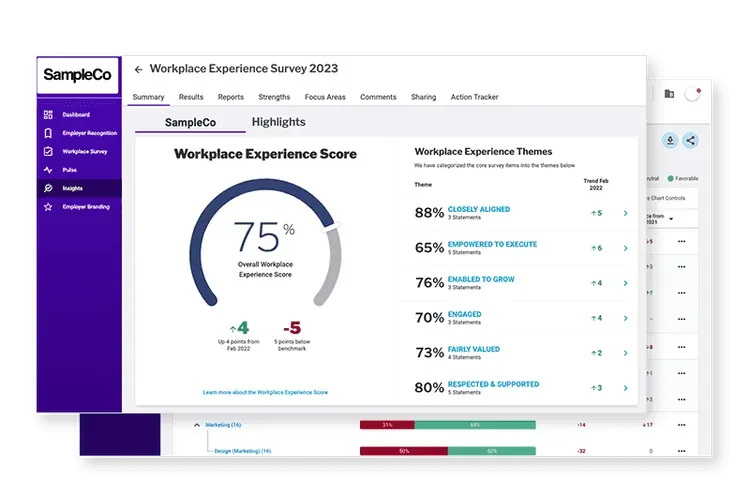
Energage is built for companies that don’t just want feedback… they want to be known for being a great place to work. It’s the engine behind those “Top Workplace” awards you see everywhere.
But it’s not all about trophies. It gives you a way to see what’s going on… like honest insights and actionable steps.
It’s for teams that want more than numbers… they want real culture change.
What stands out:
- Research-backed surveys tailored for engagement
- Benchmarking against other companies in your industry
- Clear, practical action plans from the data
- Tools to highlight strengths and fix weak spots
- Option to participate in the Top Workplaces program
Trakstar (formerly SurveyConnect)
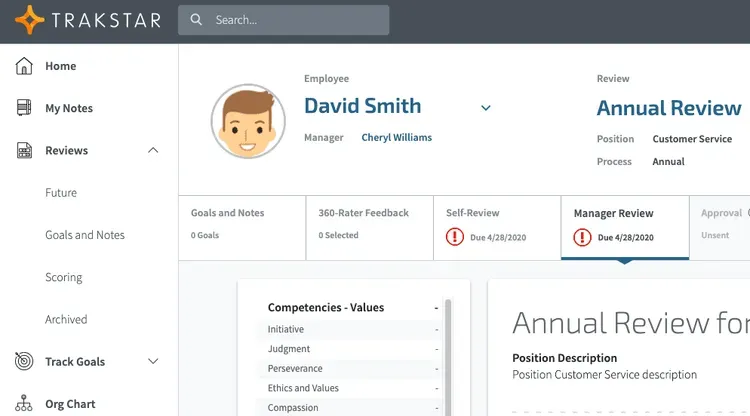
Trakstar keeps things focused on practical feedback. No overblown dashboards or confusing steps. It’s for teams that want real answers without a long process.
Good fit if you’re managing performance, running 360 reviews, or just want to hear people clearly.
Feels straightforward. Gets out of the way. It’s the kind of tool that does the job without drama.
What people use it for:
- Customizable surveys for engagement, reviews, or training
- 360-degree feedback to see all sides
- Clean reporting that managers can use
- Flexible distribution… email, links, whatever works
- Easy to scale as your team grows
A Quick Comparison
If you’re trying to figure out which of these tools fits your team, here’s a quick side-by-side look. No hype. Just the essentials to help you choose.
| Tool | Best For | Key Feature | Free Plan | Starting Price |
|---|---|---|---|---|
| Pulsewise | Real-time pulse feedback | Anonymous surveys, burnout detection | Yes (Free Forever) | Free |
| Culture Amp | Deep engagement analytics | Research-backed templates, action plans | No | Custom pricing |
| Officevibe | Regular team check-ins | Simple pulse surveys, manager reports | Yes (limited) | $3.50/user/mo |
| SurveyMonkey | General-purpose surveys | Template library, logic branching | Yes (limited) | $25/mo |
| Peakon (Workday) | Enterprise continuous listening | AI insights, real-time dashboards | No | Custom pricing |
| Glint (Microsoft Viva) | Microsoft ecosystem teams | M365 integration, pulse surveys | No | Part of Viva suite |
| TinyPulse | Lightweight weekly feedback | One-question surveys, peer recognition | No | Custom pricing |
| Lattice | Growth-focused teams | Surveys tied to goals, 1:1s, reviews | No | $11/user/mo |
| Qualtrics EmployeeXM | Deep analytics and benchmarking | Advanced design, detailed reporting | No | Custom pricing |
| Google Forms | Quick free basic surveys | Zero learning curve, Sheets integration | Yes | Free |
| 15Five | Continuous coaching | Weekly check-ins, goal tracking | No | $4/user/mo |
| Zoho Survey | Custom surveys with control | Logic branching, Zoho integration | Yes (limited) | $25/mo |
| Typeform | Engaging conversational surveys | One-question flow, beautiful design | Yes (limited) | $25/mo |
| Energage | Culture building, Top Workplaces | Research-backed, benchmarking | No | Custom pricing |
| Trakstar | Performance reviews, 360 feedback | Customizable, straightforward reporting | No | Custom pricing |
What makes a good employee pulse survey tool?
Pulse surveys and annual engagement surveys are built for different moments. An annual engagement survey usually tries to cover a lot at once: long questionnaires, big themes, and a rhythm tied to planning or board updates. Pulse surveys flip that idea. They show up often (weekly or biweekly is common), stay short, and help you see how people feel over weeks and months instead of in one yearly snapshot.
A strong pulse tool respects that rhythm. It keeps each round to about three to five questions so finishing feels possible between meetings. It protects anonymity in a way people actually trust, because without that, you mostly get polite answers. It also surfaces results quickly, in dashboards managers can read without a training course, so you can respond while the context is still fresh.
That matters because problems rarely arrive fully labeled. Small frictions show up in pulse data long before they harden into burnout, quiet quitting, or a resignation conversation. When you catch drift early, you can fix workload, clarity, or support before attrition becomes the story.
In Pulsewise, DailyMood classification helps teams track how satisfaction shifts day by day, not only when the next survey wave goes out. That kind of ongoing signal pairs well with pulse cadence: you are listening on a human timeline, not only when the calendar says “engagement survey.”
How do you choose the right employee survey tool?
The right tool depends on team size, budget, and what you actually plan to do with the data. A five-person team and a global org rarely need the same pricing model or admin burden. Budget decides whether you can stay on free tiers or need a formal contract. Being honest about outcomes (manager coaching, HR analytics, or simple temperature checks) keeps you from paying for depth you will never use.
Clarity matters. A good survey tool feels obvious to use… questions land well… the layout isn’t messy… responses come in clean, ready to act on.
Complicated systems slow everything down. The easier it is to share honest thoughts, the better your results.
Aim for a tool that respects time and delivers real insight.
- Make sure it’s simple. If your team needs instructions to take a survey, something’s wrong. It should feel natural. Click, answer, done.
- Custom matters more than you think. You don’t want to ask the same questions every other company asks. Look for tools that let you tweak stuff to match your team, not someone else’s.
- You should understand the results. Not just pretty charts. Can you look at the data and immediately know what’s working and what’s not?
- People won’t be honest if it doesn’t feel safe. Anonymity isn’t optional. If your team thinks their names are attached to every comment, they’ll hold back.
- Does it fit into your existing workflow? If it connects to your HR tools, Slack, or Teams, that’s great. That’s one less thing to manage manually.
- Don’t get tricked by fancy features. Lots of platforms show off AI and analytics. Cool, but do you need them? Or just clean, fast feedback?
- You’ll want help at some point. A responsive support team isn’t a bonus. It’s a must. Especially when you’re short on time and the CEO wants survey results yesterday.
- Start small, but think ahead. Make sure it works for a team of 30 and a company of 300. You don’t want to switch tools every year.
- Respect your people’s time. If the survey feels like homework, expect low engagement. The best tools get out of the way and just let people talk.
Summing up
Choosing a survey tool doesn’t have to be complicated.
Observe and understand your team. What would help them speak up? What can you see yourself using regularly?
You don’t need a massive system if all you want is honest answers. Sometimes less is better.
Just pick the one that feels right for now… listen… adjust… and grow… That’s the whole point.
Related Reading
- 100 of the Best Employee Survey Questions to Ask
- Anonymous vs. Confidential Surveys: Everything you need to know
- Why Smart Companies Invest in Employee Satisfaction Surveys and Win
FAQs
What is the best employee survey tool?
The best employee survey tool depends on your needs. For quick, anonymous pulse surveys with mood tracking, Pulsewise is a strong fit. Culture Amp and Qualtrics are better for deep analytics at enterprise scale. SurveyMonkey and Google Forms work for teams that need basic, flexible surveys without a big commitment. The right choice comes down to team size, budget, and whether you need ongoing listening or one-time surveys.
How do you choose an employee survey tool?
Start with what you want to learn. If you need ongoing engagement data, pick a pulse survey tool that runs automatically on a schedule. If you need one-off research surveys, a general tool like SurveyMonkey or Typeform works. Check for anonymity features (employees will not be honest without them), integrations with your existing stack (Slack, Teams, HRIS), and reporting that managers can actually use without training.
What is a pulse survey tool?
A pulse survey tool sends short, frequent surveys to employees, usually weekly or biweekly, with just 3 to 5 questions per round. Unlike annual engagement surveys that try to cover everything at once, pulse tools track how people feel over time so you can spot trends and act before small frustrations become resignations. Tools like Pulsewise, TinyPulse, and Officevibe specialize in this approach.
How much do employee survey tools cost?
Prices range from free to enterprise-level custom pricing. Google Forms and Pulsewise’s Free Forever plan cost nothing. Mid-range tools like Officevibe ($3.50/user/month), 15Five ($4/user/month), and Lattice ($11/user/month) charge per user. Enterprise platforms like Culture Amp, Qualtrics, and Peakon use custom pricing that typically starts at several thousand dollars per year depending on company size.
What features should an employee survey tool have?
At minimum, look for anonymous responses, customizable questions, automated scheduling, and clear reporting dashboards. Beyond that, the most useful features are AI-powered analysis that surfaces themes from open-ended responses, integration with Slack or Teams for easy distribution, benchmarking against industry data, and built-in action planning so insights do not just sit in a report. If manager enablement matters to you, look for tools that suggest next steps based on survey results.